一、xpath教程
xpath是谷歌浏览器插件。
1.安装
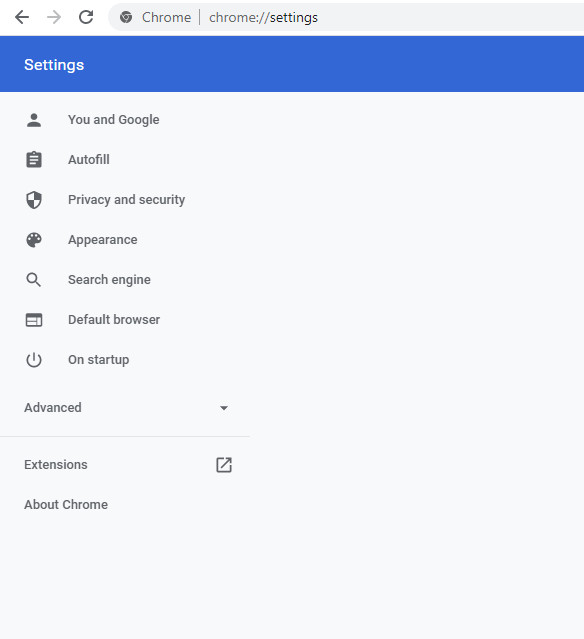
在chrome浏览器打开settings,然后点击“Extensions”,搜索“xpath”即可以找到。
2.查找路径
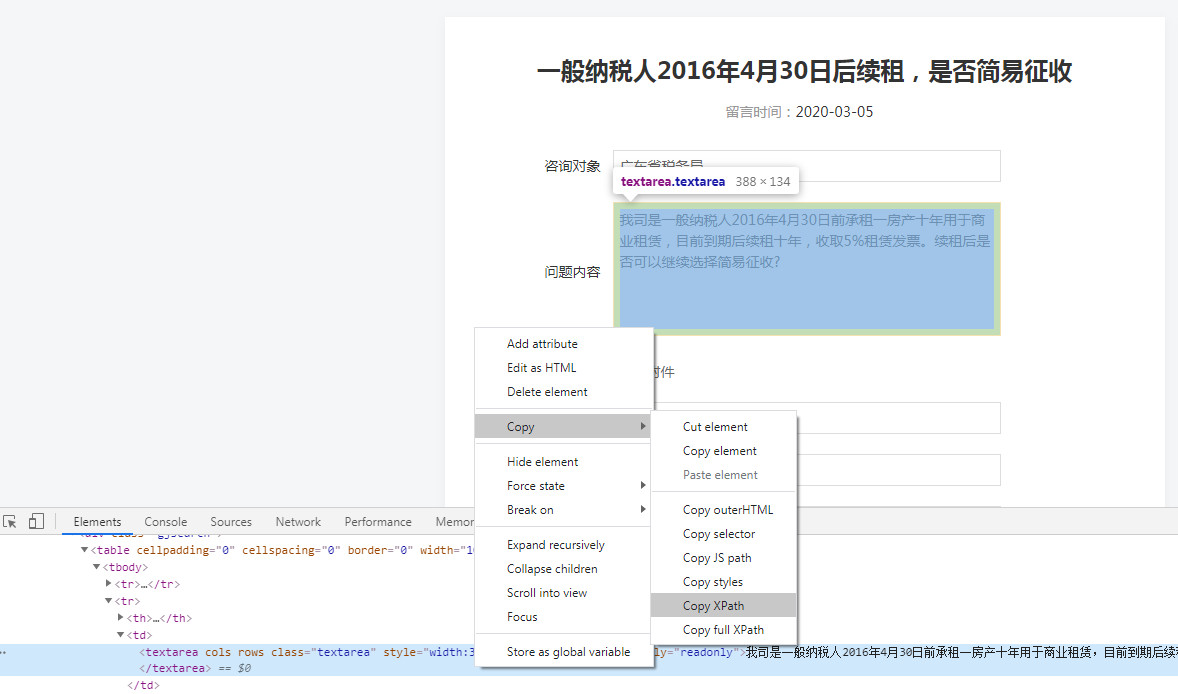
其实可以使用浏览器的copy xpath功能,很多时候都可以找到自己所要的内容,不需要自己写代码。
二、代码
今天发现使用Requests与Xpath还是挺搭的,而且配合chrome的xpath插件与scrapy shell,操作起来非常简单:
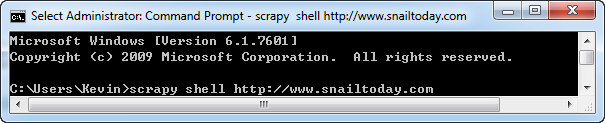
附代码:
import requests
from lxml import etree

def getResult(i):
	url = "http://www.xuetu123.com/space-uid-{}.html".format(i)
	r = requests.get(url)
	selector = etree.HTML(r.text)
	userName = selector.xpath("//div[@class='nex_Home_tops_Main']/h2/text()")[0]
	userName = userName.replace('\r\n','')
	userName = userName.strip()
	#没有管理组的情况
	try:
		userType = selector.xpath("//div[@class='pbm mbm bbda cl']/ul//li/span/a/text()")[0]
	except:
	#有管理组:
		userType = selector.xpath("//div[@class='pbm mbm bbda cl']/ul/li[2]/span/a/font/text()")[0]
	return (userName,userType)

for i in range(1,2361):
	try:
		tempresult = getResult(i)
		print("*"*22)
		print(tempresult[0])
		print(tempresult[1])
		with open("result.txt","a") as f:
			f.write(tempresult[0]+tempresult[1]+'\n')
		print("写入第{}条记录成功".format(i))
	except:
		print("写入第{}条记录错误".format(i))
		continue