一、建立开发环境
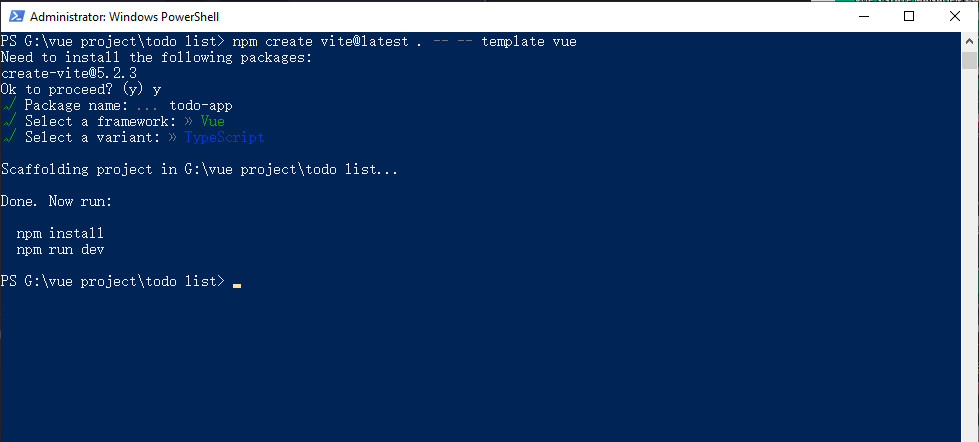
我之前已经安装过Vue,执行
npm create vite@latest . -- -- template vue
的结果是下面这样的:
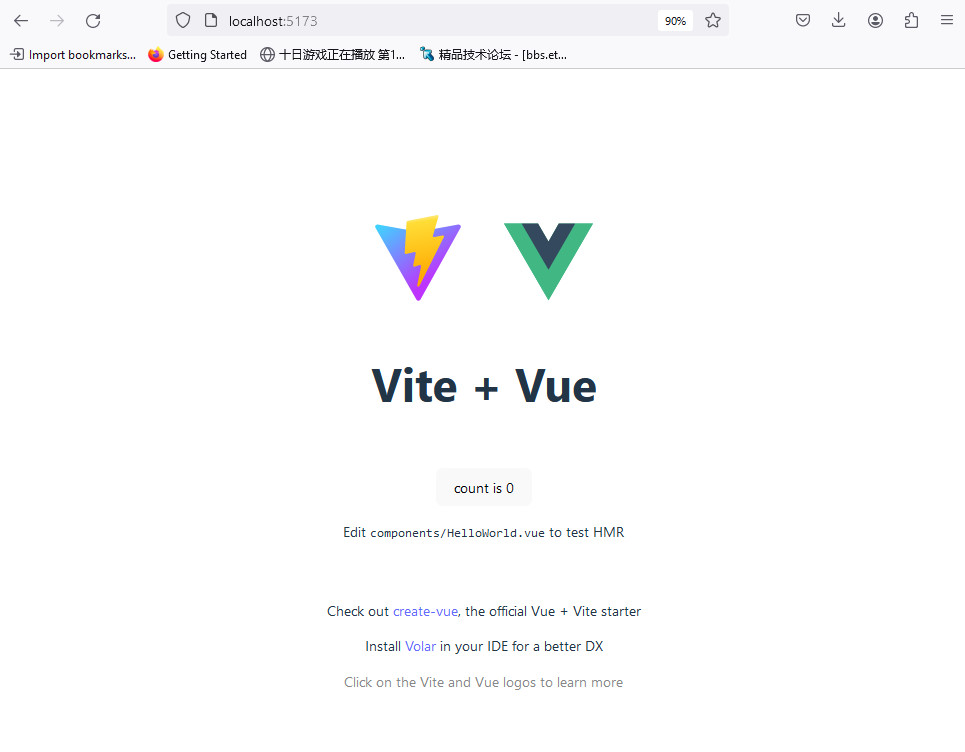
成功了:
二、hello world
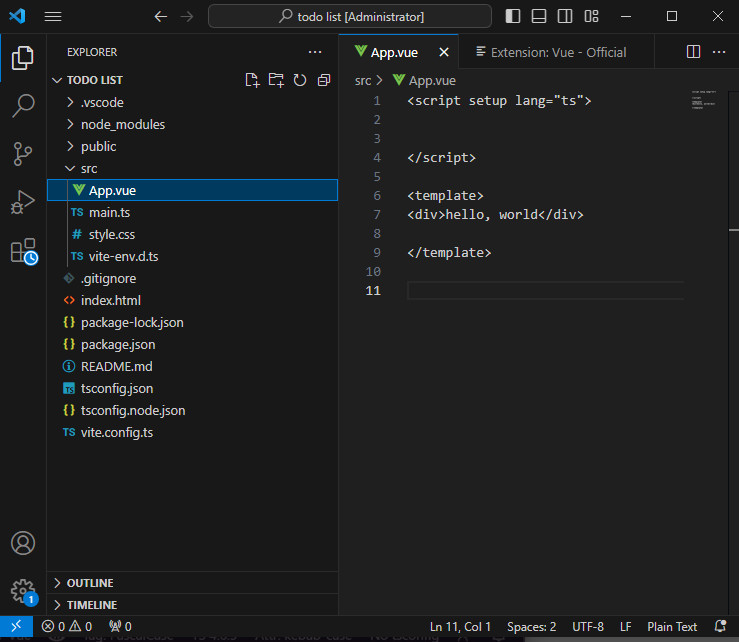
src下面的assets、components资料夹直接删除,并在app.vue删除多余的代码。
三、简单代码
<script setup lang="ts">
import {ref, onMounted, computed,watch} from 'vue'

const name = ref('')


watch(name, (newVal) => {
  localStorage.setItem('name',newVal)
})

</script>

<template>
<main class="app">
   <section class="greeting">
      <h2 class="title">
          What's up, <input type="text" placeholder = "Name here"
          v-model = "name" />
      </h2>
   </section>
</main>
</template>
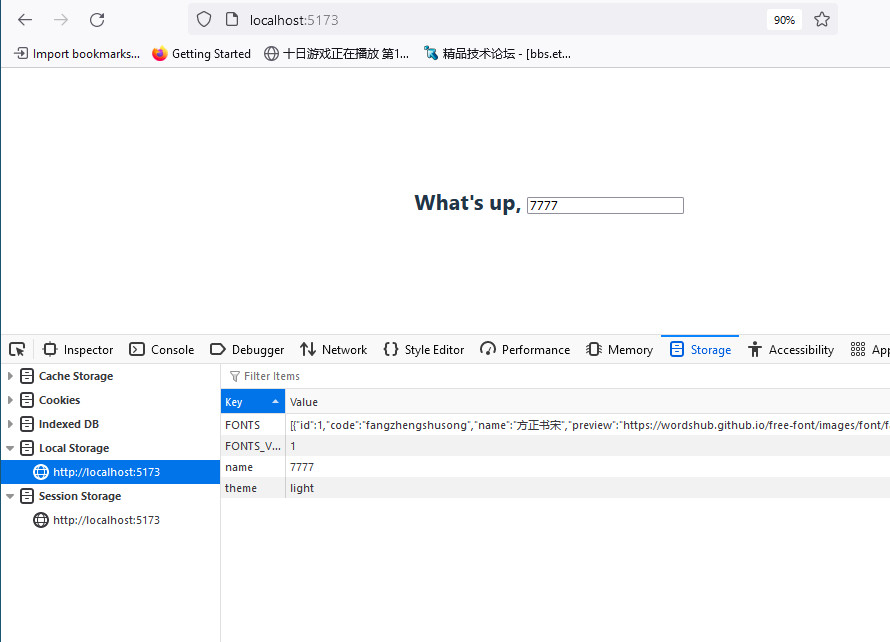
效果
四、简单代码
<script setup lang="ts">
import {ref, onMounted, computed,watch} from 'vue'

const input_content = ref('')

const addTodo = () =>{}


<template>
<main class="app">
  <section class="create-todo">
    <h3>Create A TODO</h3>

    <form @submit.prevent="addTodo">
      <h4>What's on your todo list?</h4>
      <input type="text" placeholder="e.g. make a vedio" v-model="input_content">
    </form>

    {{ input_content }}

  </section>
</main>
</template>
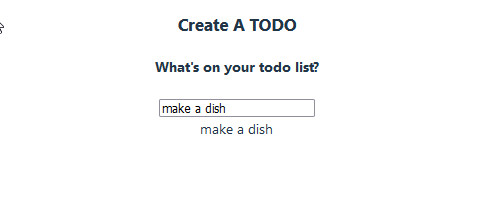
效果:
五、最终代码
<script setup>
import { ref, onMounted, computed, watch } from 'vue'

const todos = ref([])
const name = ref('')

const input_content = ref('')
const input_category = ref(null)

const todos_asc = computed(() => todos.value.sort((a,b) =>{
	return a.createdAt - b.createdAt
}))

watch(name, (newVal) => {
	localStorage.setItem('name', newVal)
})

watch(todos, (newVal) => {
	localStorage.setItem('todos', JSON.stringify(newVal))
}, {
	deep: true
})

const addTodo = () => {
	if (input_content.value.trim() === '' || input_category.value === null) {
		return
	}

	todos.value.push({
		content: input_content.value,
		category: input_category.value,
		done: false,
		editable: false,
		createdAt: new Date().getTime()
	})
}

const removeTodo = (todo) => {
	todos.value = todos.value.filter((t) => t !== todo)
}

onMounted(() => {
	name.value = localStorage.getItem('name') || ''
	todos.value = JSON.parse(localStorage.getItem('todos')) || []
})
</script>

<template>
	<main class="app">

		<section class="greeting">
			<h2 class="title">
				What's up, <input type="text" id="name" placeholder="Name here" v-model="name">
			</h2>
		</section>

		<section class="create-todo">
			<h3>CREATE A TODO</h3>

			<form id="new-todo-form" @submit.prevent="addTodo">
				<h4>What's on your todo list?</h4>
				<input
					type="text"
					name="content"
					id="content"
					placeholder="e.g. make a video"
					v-model="input_content" />

				<h4>Pick a category</h4>
				<div class="options">

					<label>
						<input
							type="radio"
							name="category"
							id="category1"
							value="business"
							v-model="input_category" />
						<span class="bubble business"></span>
						<div>Business</div>
					</label>

					<label>
						<input
							type="radio"
							name="category"
							id="category2"
							value="personal"
							v-model="input_category" />
						<span class="bubble personal"></span>
						<div>Personal</div>
					</label>

				</div>

				<input type="submit" value="Add todo" />
			</form>
		</section>

		<section class="todo-list">
			<h3>TODO LIST</h3>
			<div class="list" id="todo-list">

				<div v-for="todo in todos_asc" :class="`todo-item ${todo.done && 'done'}`">
					<label>
						<input type="checkbox" v-model="todo.done" />
						<span :class="`bubble ${
							todo.category == 'business'
								? 'business'
								: 'personal'
						}`"></span>
					</label>

					<div class="todo-content">
						<input type="text" v-model="todo.content" />
					</div>

					<div class="actions">
						<button class="delete" @click="removeTodo(todo)">Delete</button>
					</div>
				</div>

			</div>
		</section>

	</main>
</template>
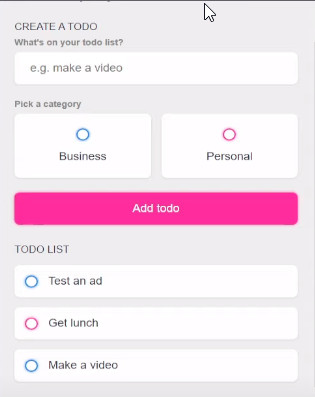
成果展示:
https://www.youtube.com/watch?v=qhjxAP1hFuI&t=34s